How to Install, Update or Uninstall
Blender
Stich3r Blender addon of course requires an installation of Blender. You can download it from here: Blender Download
Installation
Installing a blender plugin is as simple as it can be. After you have made a purchase, either on blendermarket or gumroad. You’ll have access to download the zip file of the plugin

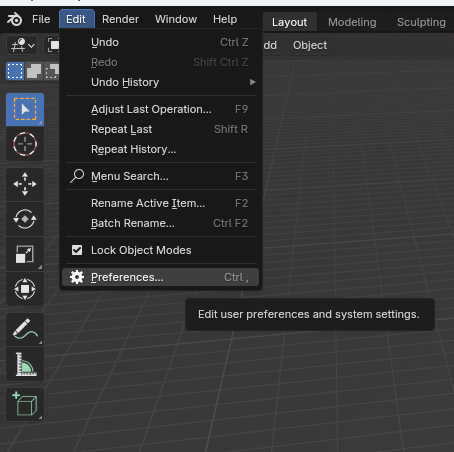
- Open Blender and go to
Edit>Preferences
- Go to
Add-ons
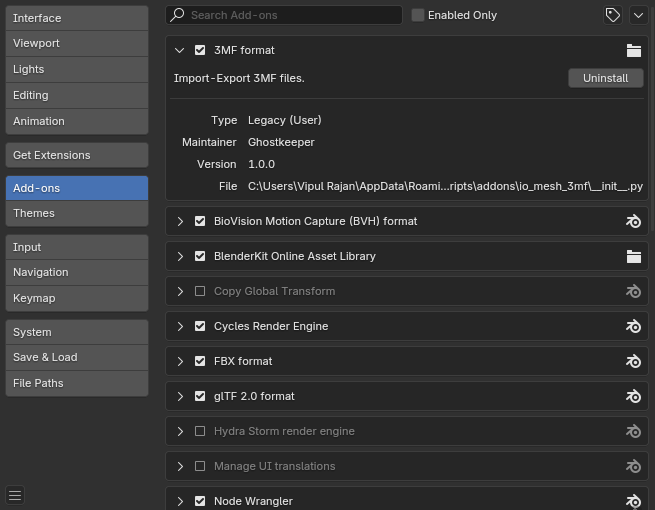
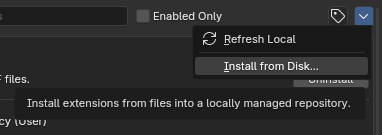
- Click on the tiny downwards arrow on the top right corner and select
Install from Disk…
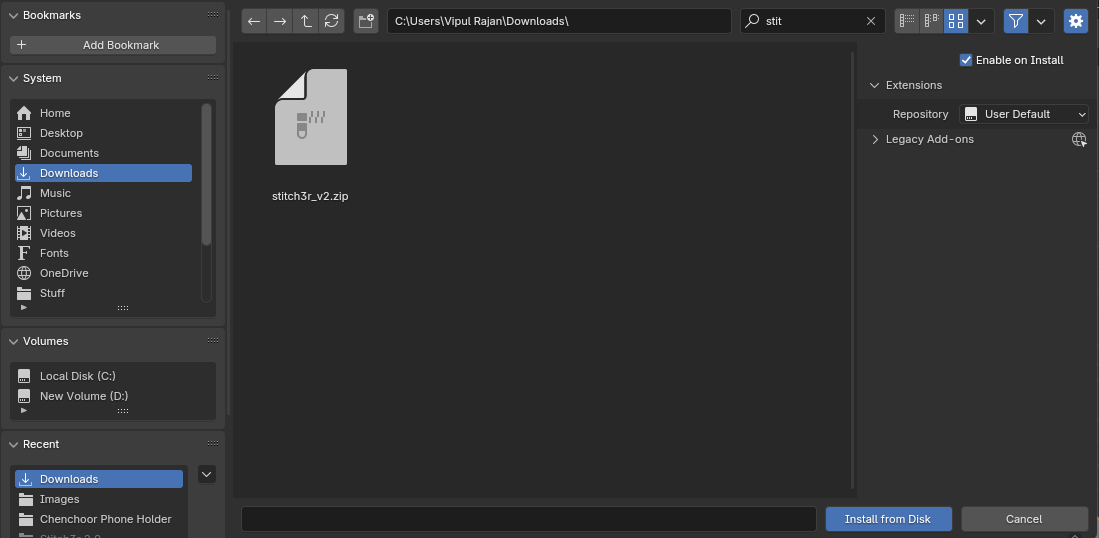
- Just browse and find the zip file downloaded from the website and click
Install From Disk
Uninstallation
- Open Blender and go to
Edit>Preferences
- Go to
Add-ons
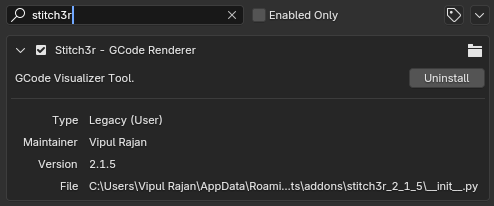
- Type “stitch3r” in the search box to find the addon
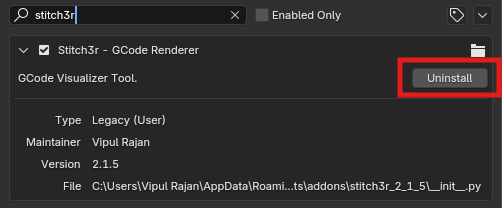
- Then just click the “uninstall” button and you are done.
Updation
You can update the addon by just installing it like shown above in the Installation section.